

Adobe Premiere Pro (coming soon)
Latest Version 1.0.1 // 28.09.2026
Supports all versions of Adobe After Effects from CC onwards
Plugin made with AI / KI
Stop Blind-Guessing Your Presets!
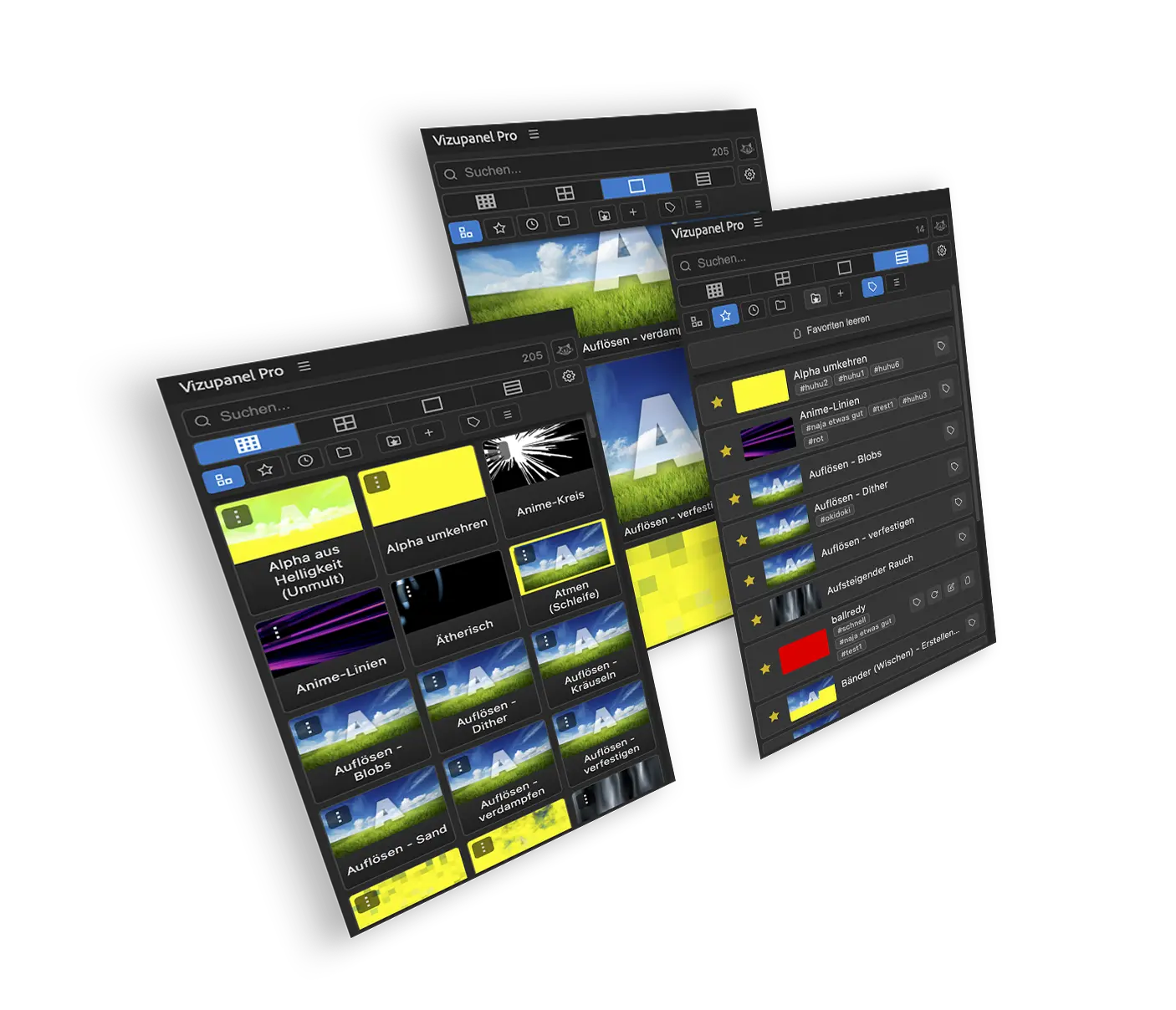
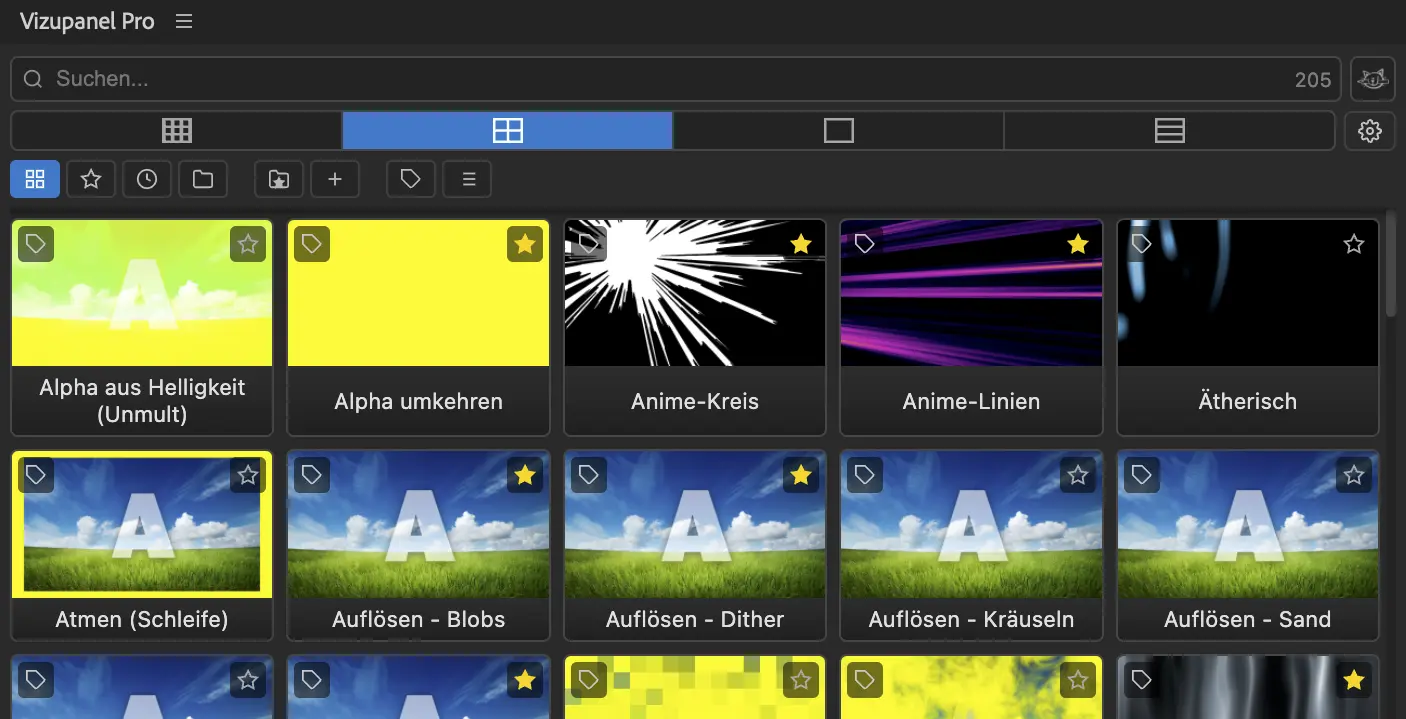
VISUPREMA is a professional extension for Adobe After Effects with animated thumbnails for quickly previewing, saving, organizing and applying animation presets.
VISUPREMA includes stunning 200 Presets in 5 Languages – DE EN FR ES NL
Buy once – use forever (Perpetual License – no subscription)
Translation into various languages is in preparation.
Please use the browser’s translation features.
La traduction dans différentes langues est en préparation.
Veuillez utiliser les options de traduction de votre navigateur.
VISUPREMA
Speed up your workflow: See it before you apply it!
VISUPREMA brings visibility, creativity, and order to motion designers‘ preset workflow.
VISUPREMA is the ultimate workflow ecosystem for Adobe After Effects, completely reinventing how you work with presets. The absolute gamechanger: Animated thumbnails give you an instant live preview of your effects before you even apply them. Create your own presets in seconds, manage your entire library in one central place, and hit the ground running with 200 professional base presets included right out of the box.
alternative version:
VISUPREMA changes the way motion designers work with presets: effects become visible before you apply them, custom presets can be created in seconds, and the entire library stays organized at all times — for an easy and fast workflow without interruptions.
CTA Button: Discover VISUPREMA!
The Problem
Sound familiar?
You scroll through hundreds of presets, click through them one by one, apply, check the result, undo, try the next — and repeat, until the creative flow you were chasing is long gone.
Presets are supposed to save time. In practice, they often cost exactly the time they were meant to save.
The problem isn’t the number of presets. The problem is having to apply one just to find out if it’s even the right one.
The Solution
Stop applying presets just to see what they look like.
VISUPREMA shows every preset effect as an animated thumbnail — live, in motion, exactly how it will look in your project. No applying. No undoing. No guessing. You see instantly whether an effect works, and decide in seconds instead of minutes.
Benefits
Three strengths. One supreme workflow.
1. Preview
See the effect before you click.
Never apply a preset blindly again, only to undo it a second later. At the heart of VISUPREMA are interactive, animated thumbnails that show every preset in action — without ever applying it to your layer. This saves hours of rendering time and keeps your creative flow moving without any interruptions. Stop wasting time on trial and error!
2. Create
Your own presets in seconds.
Your own looks and animations are your most valuable assets. With VISUPREMA your create your own presets right from your workflow and grow a library that matches your exact style. Just select your effects and save them as a new preset. The plugin automatically generates the matching animated preview, making your custom creations a seamless part of your workspace.
3. Organize
Full Control Over Your Library.
Bonus Feature
And if you’re still short on presets: 200 are already included!
VISUPREMA ships with 200 professionally designed presets, ready to use from day one. A really nice bonus!
The Audience
VISUPREMA was built for anyone working in motion. Whether you’ve been working professionally in Adobe After Effects for years or you’re just getting deeper into motion design — VISUPREMA adapts to your workflow, not the other way around. No learning curve, no relearning. Just faster and more efficient work, from day one.
Closing / CTA Section
Ready to rethink your preset workflow?
Stop guessing. Start seeing.
CTA button: Get VISUPREMA now!
Preset Manager
Preview, Create, Remix and Organize fx
Unfold your Creativity and Organize IT easily
Redesign, reshape and recreate And Store IT visually and easily
Supports all versions of Adobe After Effects from CC onwards
designed to bring your ideas to the screen without friction.
Unterschiede Lite / Pro version
Starter Pack 100 FX
Starter Pack 100 FX 2 + 3 demnächst weitere coole eindrucksvolle Effekte für den täglichen Gebrauch (Social Media, Kurzfilme, use)
What you get:
A dockable graph editor panel, inside Adobe After Effects
Save your own easing presets and apply them anywhere
tipps
Unterschiede Lite / Pro version
issue email
